One click. Every contact on the page.
Open any website, click Contact Finder, and instantly see the email addresses, phone numbers and social profiles it shows, including the hidden ones. Copy or export in a second.
In Chrome Web Store review now. This button goes live the day it’s approved.
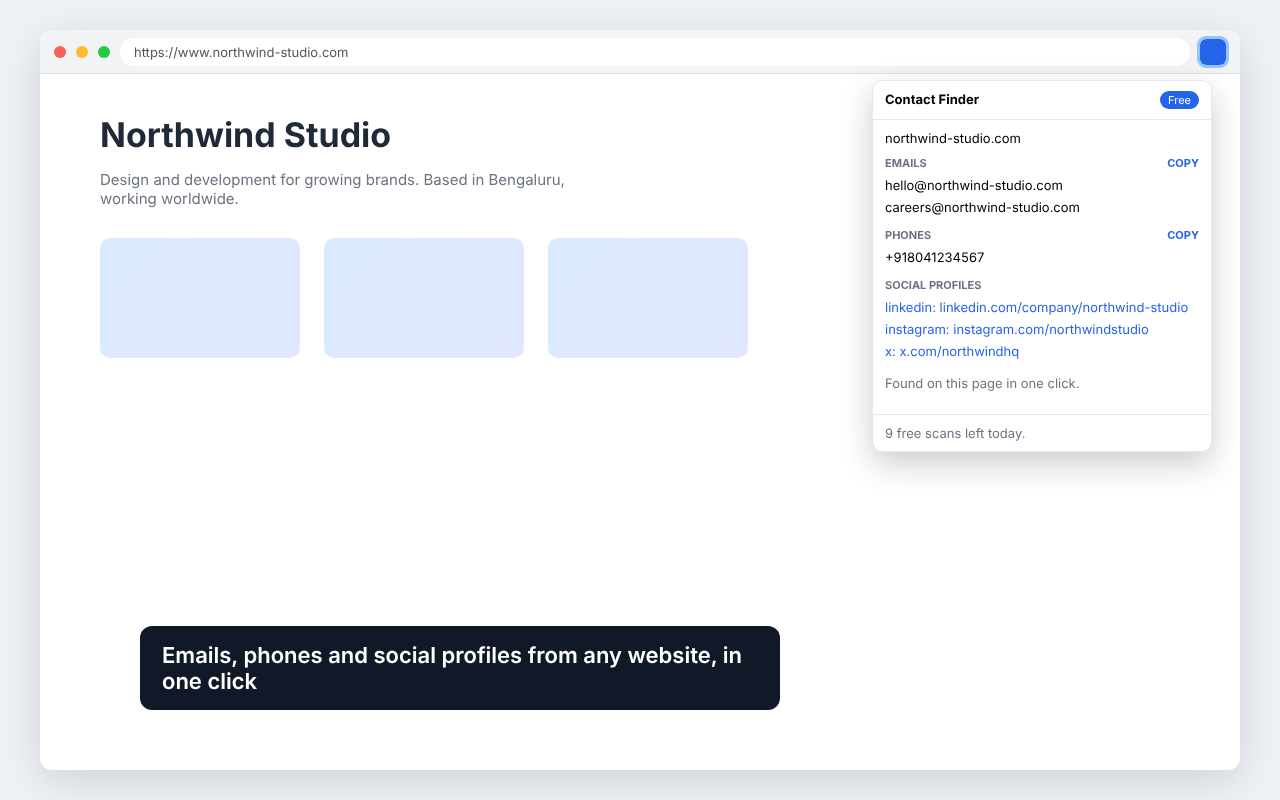
Prospecting without the digging.
Hidden emails too
Finds mailto links and “name [at] domain [dot] com” formats.
Phone numbers
Pulled from the page and cleaned up.
Nine social networks
LinkedIn, Instagram, Facebook, X, YouTube, TikTok, GitHub, WhatsApp and Telegram.
Deep scan (Pro)
Also checks the site’s Contact, About and Team pages for you.
History and CSV (Pro)
Every scan saved on your device and exportable.
Private by design
Everything runs in your browser. We never see your browsing.
Three steps. That's it.
Install
Add it to Chrome from the Web Store.
Visit a site
Open any company website.
Click
See every contact and copy it in one click.
Free forever. Pro once, for life.
The free plan gives you 10 scans every day. Pro unlocks everything with a single payment.
10 scans per day, copy emails and phones
Unlimited scans, deep scan, history, CSV
- Unlimited scans
- Deep scan of Contact, About and Team pages
- Saved history
- CSV export
- Use on up to 3 devices
Does it track what I browse?
No. It only reads the page you are on when you click the icon, and results stay on your device.
How does Pro work?
Buy once through our checkout (Dodo Payments) and you get a license key by email. Paste it into the extension to unlock Pro.
Can I get a refund?
Yes, within 14 days of purchase. See our refund policy.
You might also like
E-Invoice Viewer
Open XRechnung, ZUGFeRD, Peppol and KSeF e-invoices as a readable invoice. 100% offline.
Website Contact Finder
A list of websites in, one clean row per company out: emails, phones and every social profile.
PDF to Text & AI Chunks
PDF links in, clean text, per-page text and ready-to-embed chunks out. Built for RAG and AI agents.